8 November 2026LondonRelease notes, No. 1Modfare 0.3
Slack water.
The still moment between tides, and everything that lets Modfare stay out of your way.
Slack water is the quiet between tides, when the sea stops pulling one way or the other. It's what we wanted Modfare to feel like this week. Nothing pops up when you open a page. Nothing waits for an answer. What you change stays changed, wherever you go, and anything Modfare does on its own comes with an Undo.
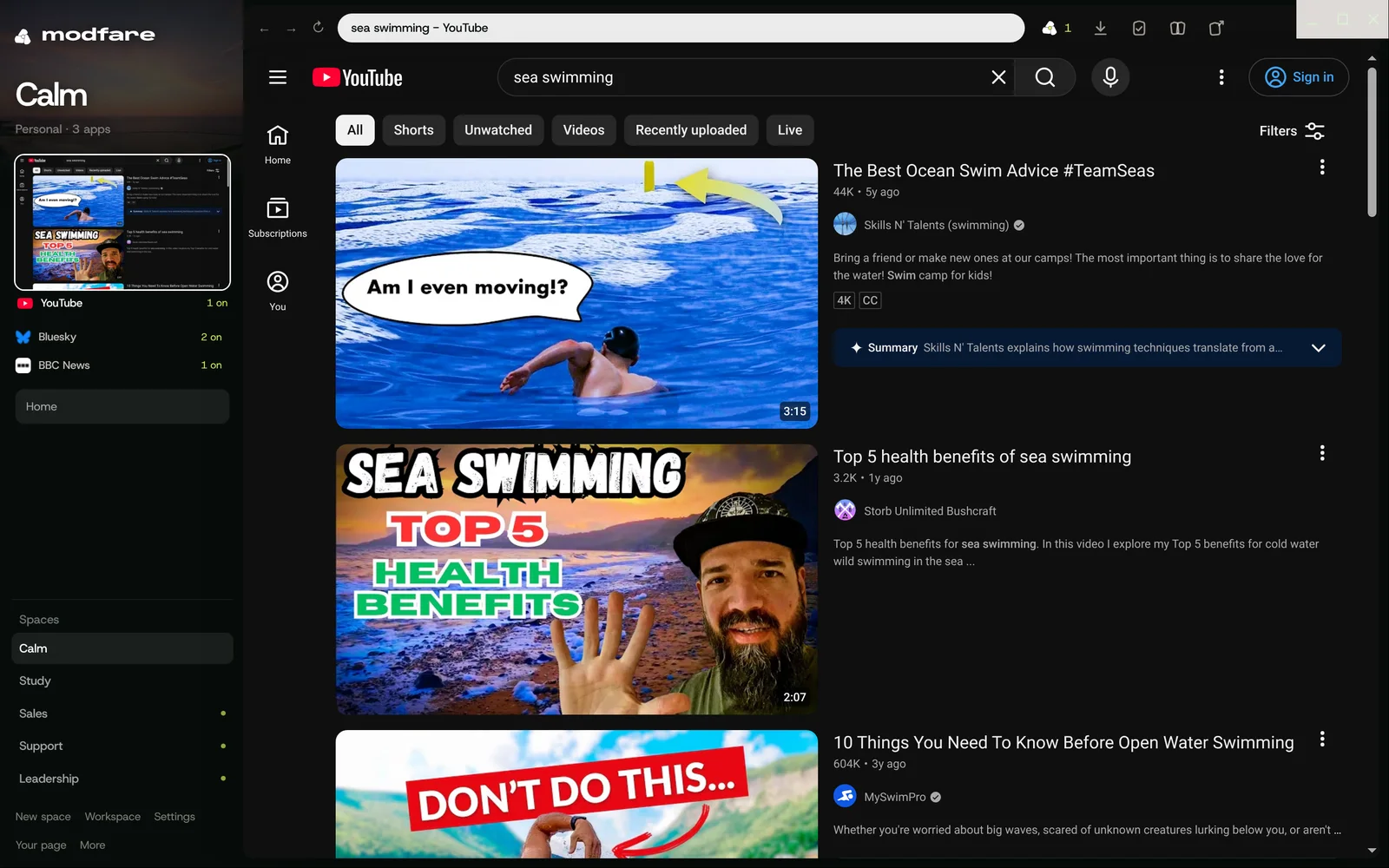
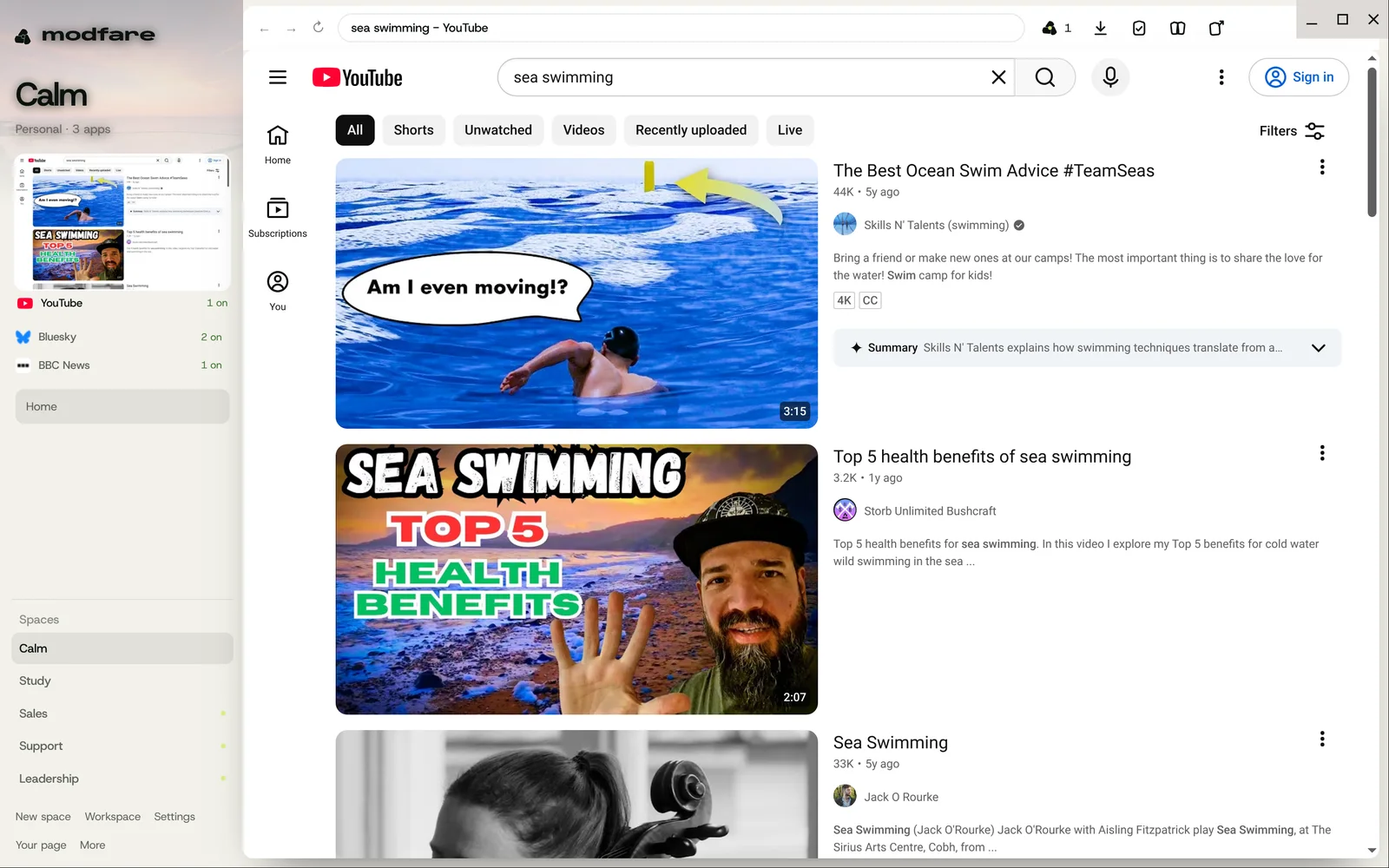
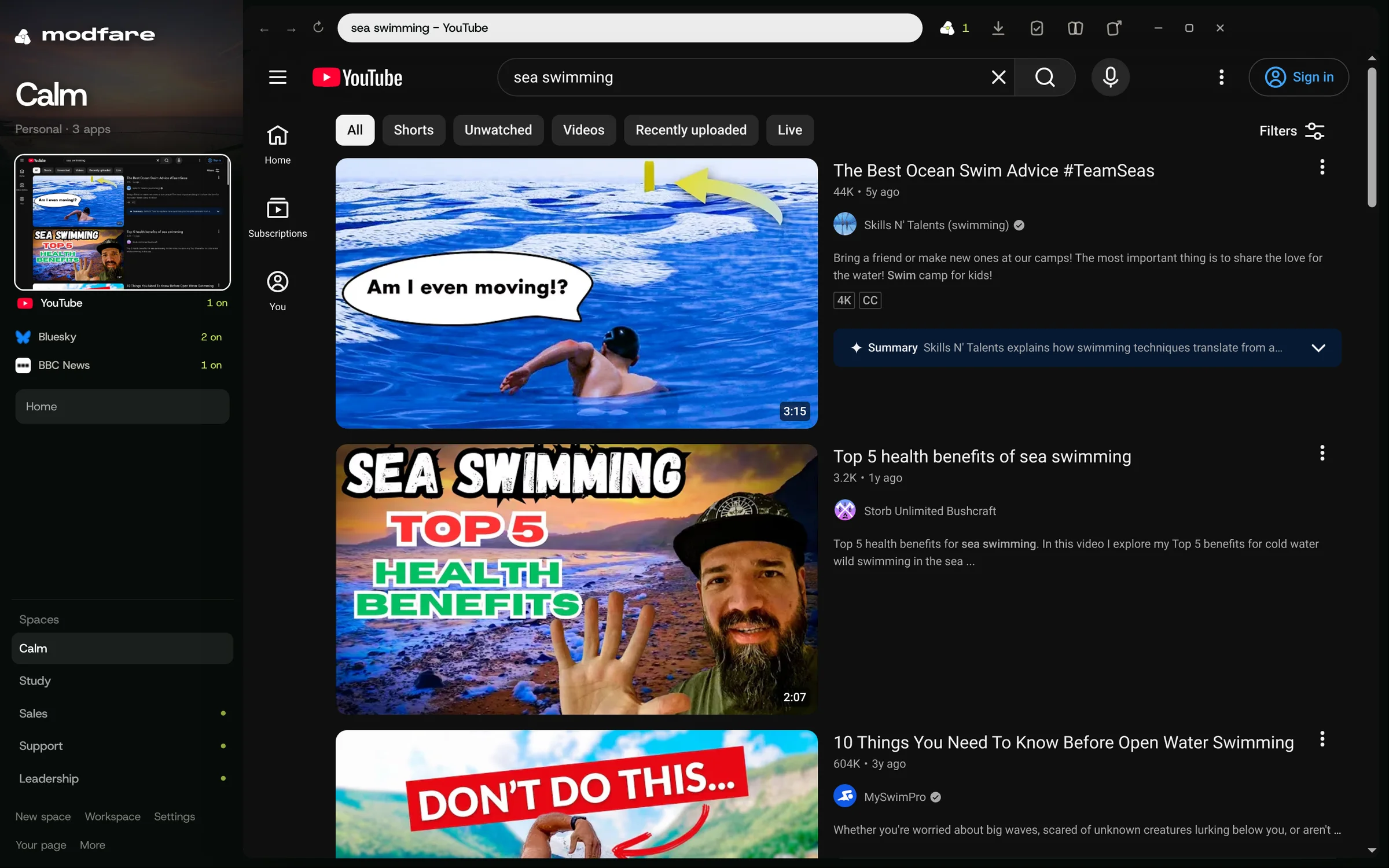
We also stopped pretending. The made-up app we used to show Modfare off is gone. From the first run you're on YouTube, Wikipedia, Hacker News, Bluesky and the BBC, with mods written for each of them, and every picture in this issue was taken in Modfare, on those real sites, signed out.
From the Modfare team, in London.
One switch for how it all looks.
Night, Day, Moss and Contrast change Modfare's own frame, and tell every site whether you'd like it light or dark. YouTube, Wikipedia, GitHub and Bluesky follow with their own dark modes, so there's no mod to find and nothing to set up.
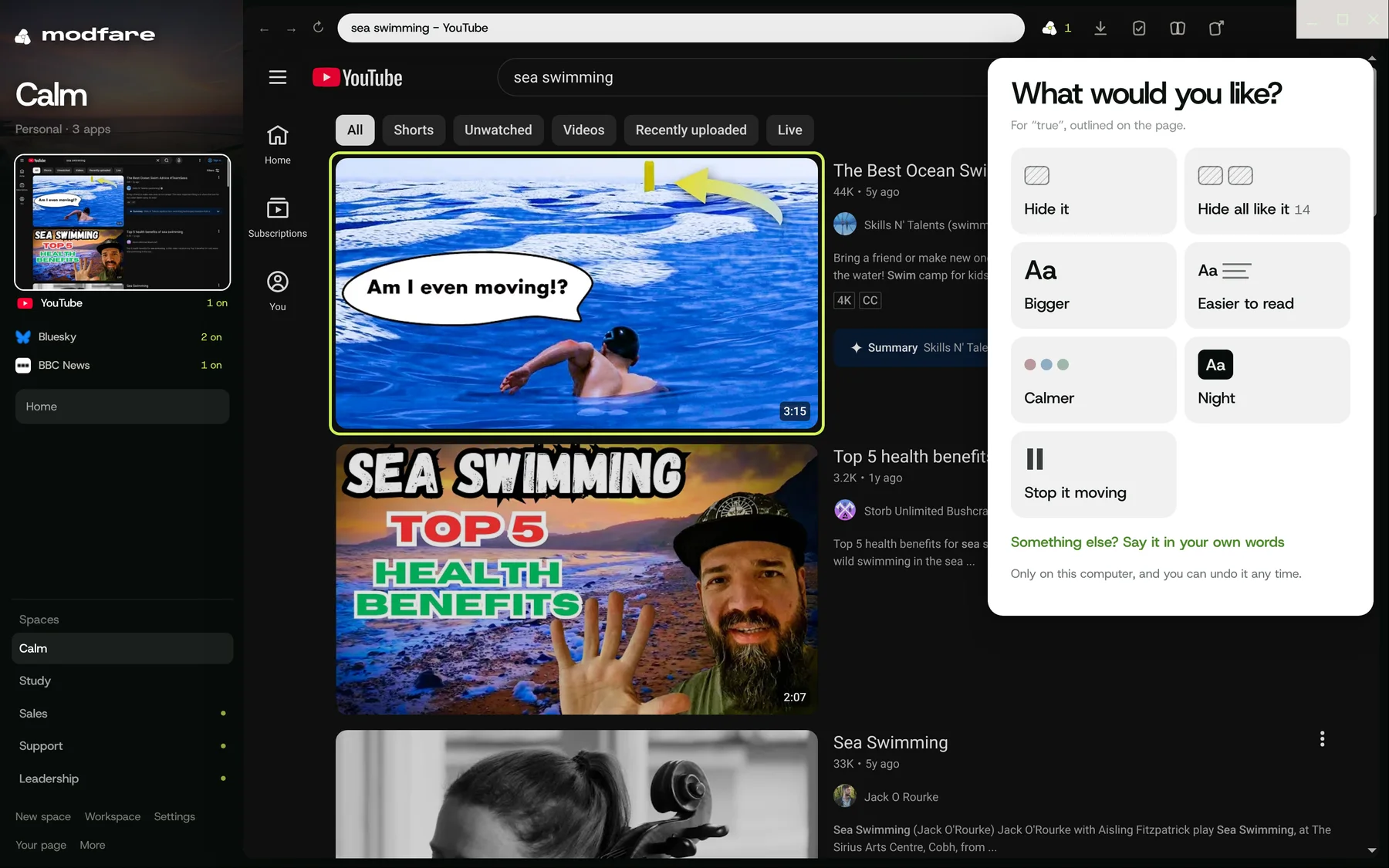
Point at it. Say what you want.
Right-click any part of a page, or press Ctrl Shift X, and a few big cards in plain words do the rest: Hide it, Bigger, Easier to read, Calmer, Night, Stop it moving. Tap one and it's done, with an Undo beside it. Typing your own words is there if you'd like it, and never needed. If you can point, you can mod.
Two people, one page.
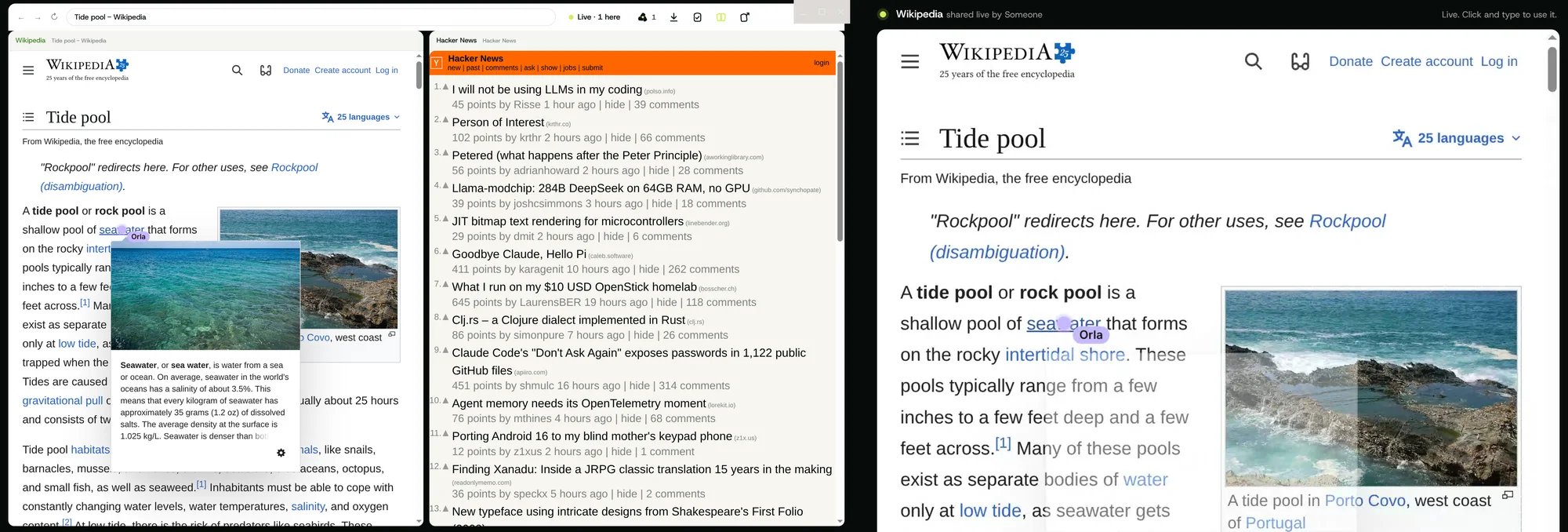
Share an app live and people join from a link, in any browser, with nothing to install. They see the app as it is on your screen, and they can click, scroll and type in it too, with their name on their pointer. The picture goes straight from your computer to theirs. Everyone acts as you, so the sheet says so, plainly, before you start.
A column of its own.
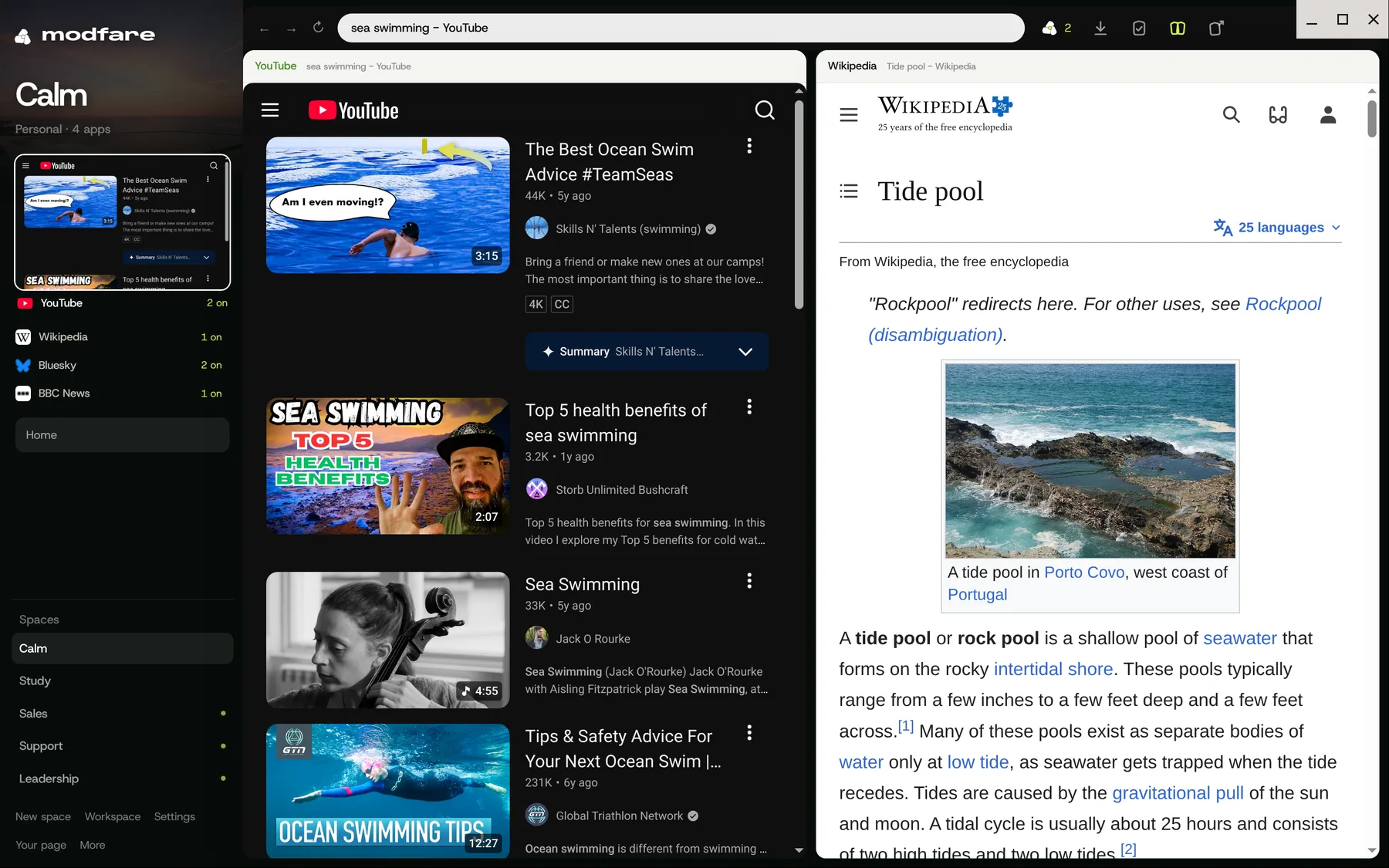
Mods can now tell when they're narrow. Put YouTube beside Wikipedia and Slim YouTube folds the filters, the Shorts and the header buttons away, leaving a clean list of videos. Give it the whole window again and it's as it was.
The store has people in it.
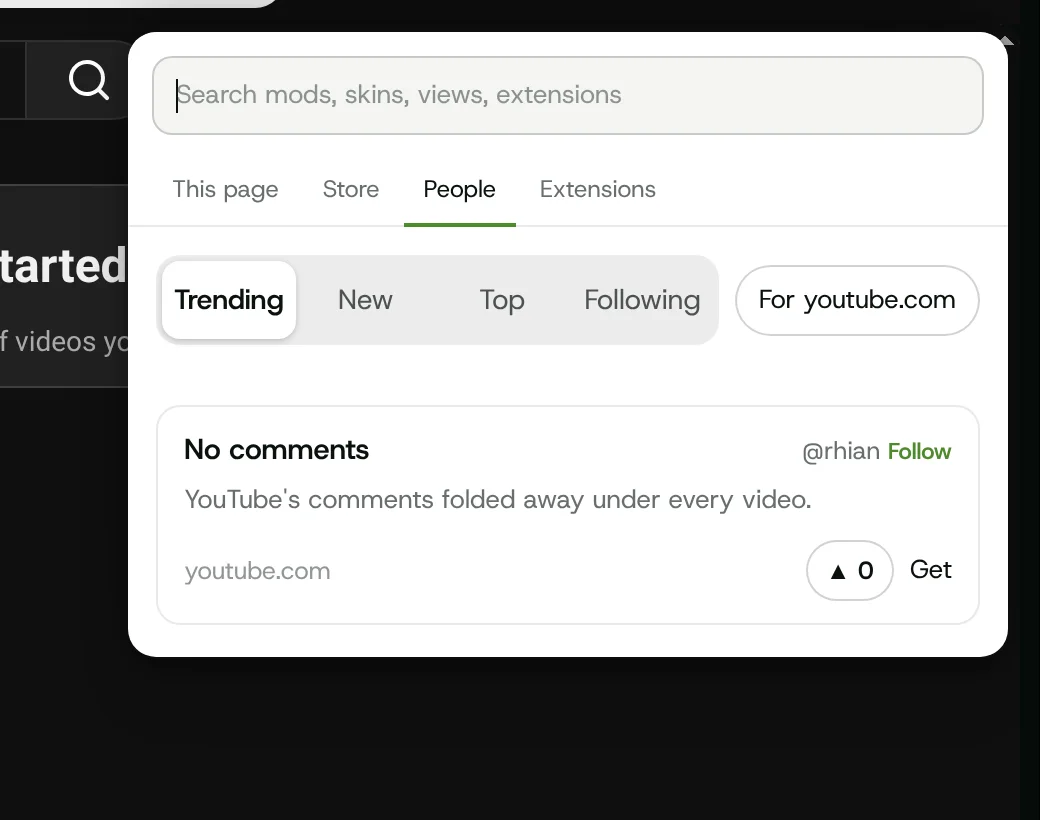
Mods has a People tab: what's trending, what's new, the best of all time, and new mods from the people you follow. Every card has an upvote, a Follow and a Get, and your own mods are one press from being shared. Only what you choose to do there leaves your computer, never what you browse.
And the smaller things.
- Fifty mods for seventeen real sites. YouTube, Wikipedia, the BBC, the Guardian, GitHub, Stack Overflow, MDN, Spotify, Substack, Twitch and more, each one checked against the live page, and checked again whenever we like.
- Never interrupts. Nothing opens on its own. Choose Stay quiet, Show a dot or Just do it; something you've kept on two sites follows you to a third, quietly, with an Undo.
- Your browser, properly. Make Modfare the browser links open in. Email links open your webmail at a new message, Zoom links join in the page, and Ctrl Shift Space brings Modfare forward from anywhere.
- Opens what's already open. Type a site you already have and you're taken to it. New apps name themselves, so theguardian.com becomes The Guardian, and keep their icons. Alt 1 to 9 jumps between apps.
- Every shortcut in one place. Ctrl / opens a cheatsheet you can search, made from the same list the app uses, so it's never out of date.
- Help sites fit people, if you'd like. An opt-in way to share patterns, put together with fifty or more people and never about you. Off unless you switch it on, and Settings shows exactly what would go.
- Your spaces survive updates. A newer Modfare never wipes what you've saved. It keeps a copy of your old file before changing anything, and leaves alone what it doesn't understand.
- Lighter. Modfare's own windows use about a third less memory with two pages open: the Alt lens is made when you first hold Alt, not before.
And a good deal more. Every change is on GitHub.
Past issues
 Research notes, No. 1 · 7 November 2026Notes from the workshopAn OS inside your OS.
Slack water is out now.
Modfare 0.3 for Mac and Windows, in early preview.